
 LuminApp
Your whole PC in one app
LuminApp tunes Windows, cleans out what you do not need, puts your game first while it runs and reads your processor, graphics card, memory and BIOS. Every change tells you what it does first, and you can always put it back.
Free for Windows 10 and 11, 64-bit. Premium adds more
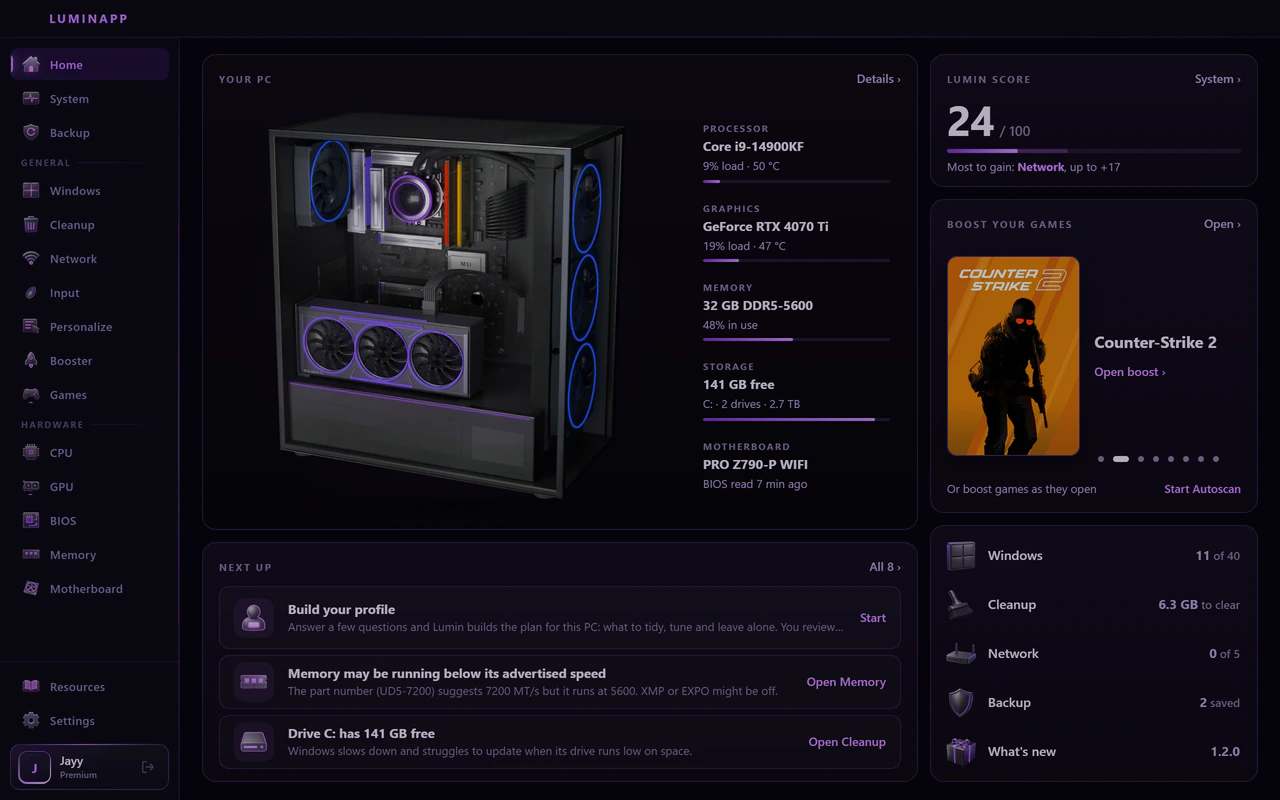
Click around, nothing on your PC changes.
What you get when you install it
Real screens from the app, one idea at a time. They are the web demo above, running on a demo PC with a Premium plan, so each chapter says which tools are Premium.
01 / 08
Your PC, read for real
The System page reads your own hardware: processor, graphics card, memory, storage, board, display and the Windows build, with live load and temperatures.
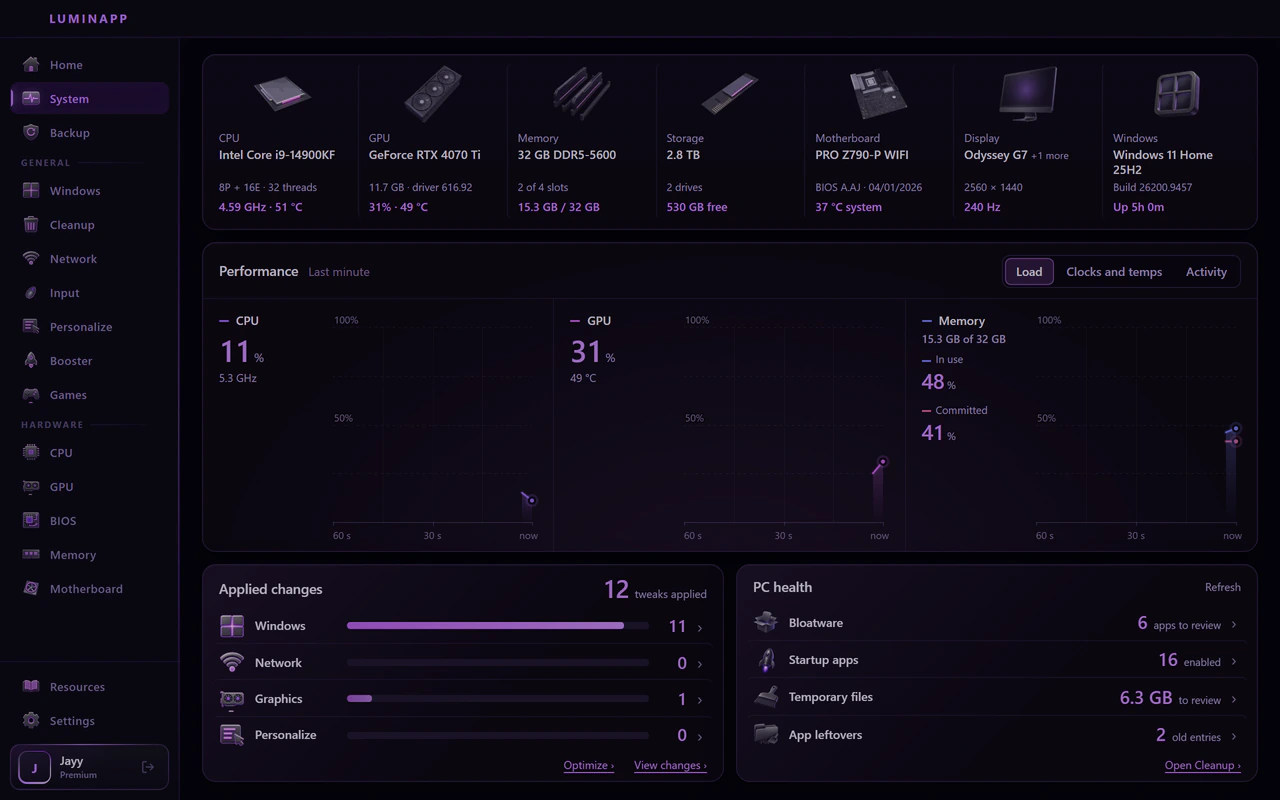
- Your parts
- Each part with its model, its speed and its temperature right now.
- Performance
- Load, clocks and temperatures for the last minute, for processor, graphics and memory.
- PC health
- Apps to review, startup apps, temporary files and old leftovers, each one a click from Cleanup.
02 / 08
Tweaks that tell you what they do
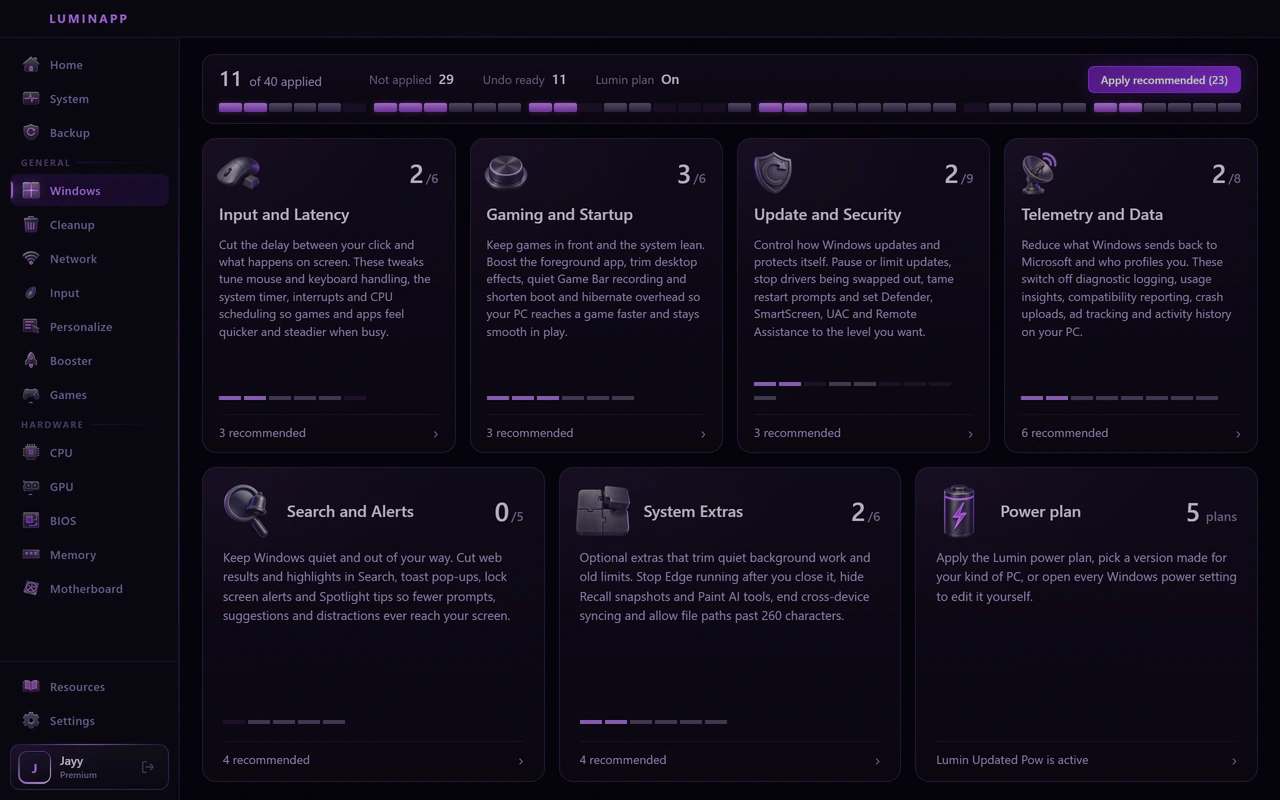
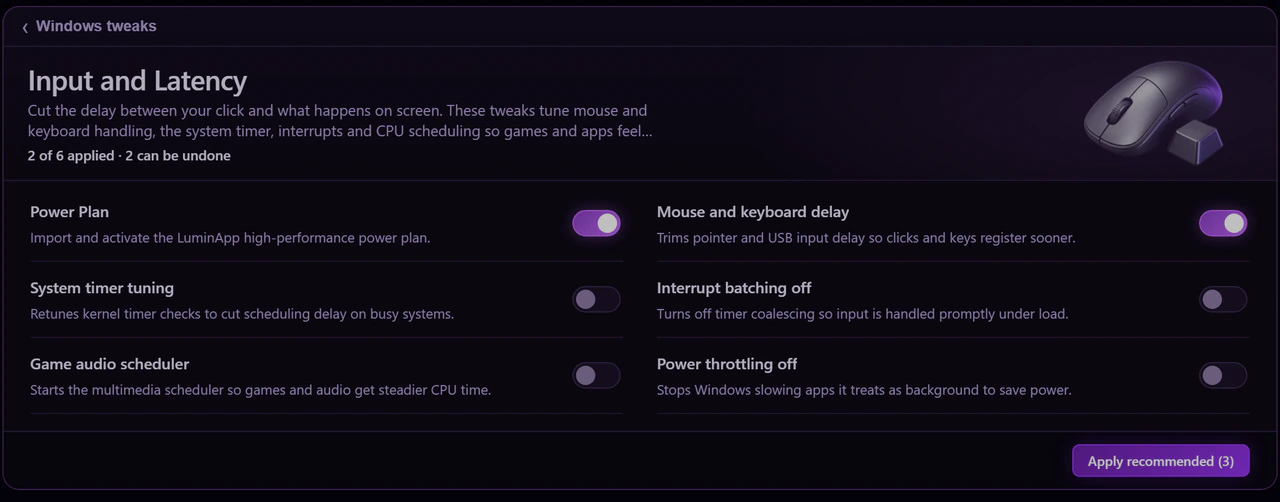
Windows settings come in groups. Open one and every tweak has a switch, one line on what it changes and an undo.
- Input and Latency
- Mouse and keyboard delay, the system timer, interrupt handling.
- Gaming and Startup
- Foreground priority, Game Bar and capture, faster boot.
- Update and Security
- Pause or limit updates, SmartScreen, UAC, Remote Assistance.
- Telemetry and Data
- Diagnostic logging, ad tracking and activity history.
- Power plan
- The Lumin power plan, or every Windows power setting to edit yourself.
03 / 08
A way back for everything
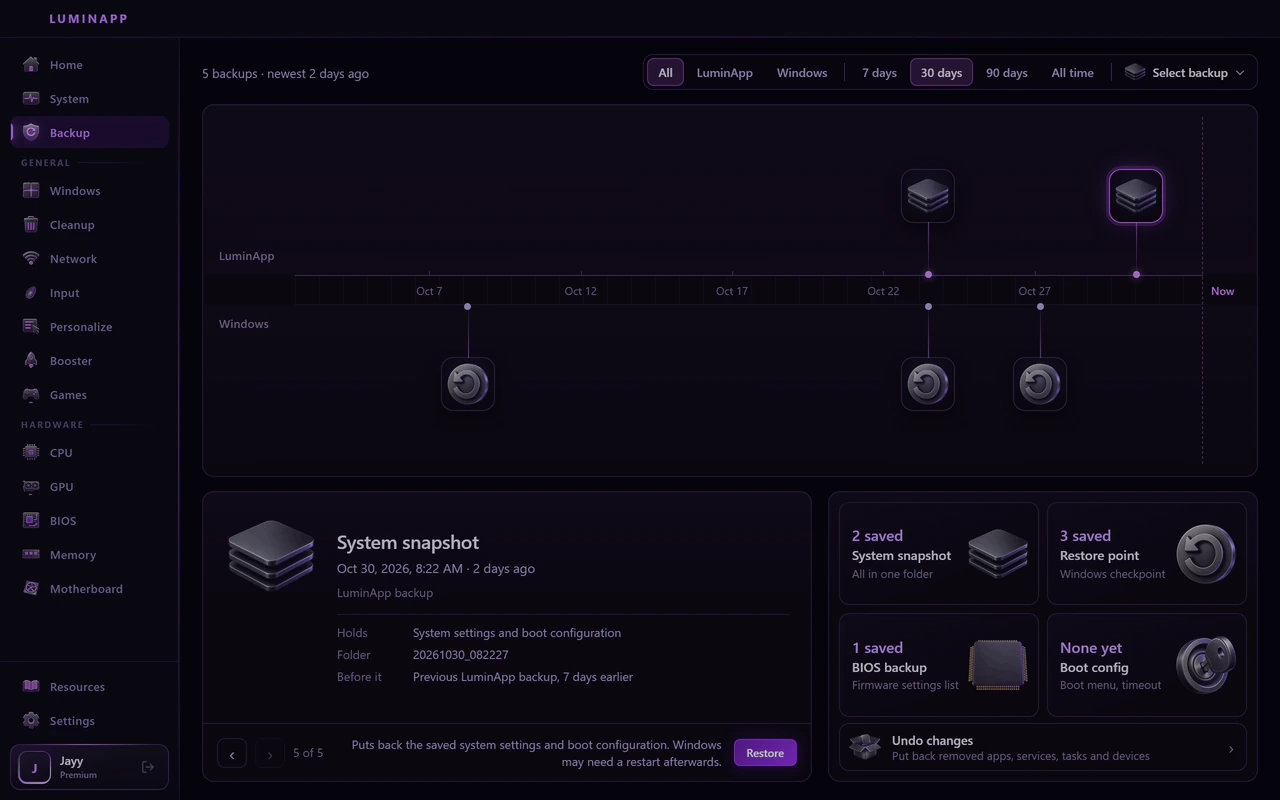
LuminApp backs up before it changes anything, and the Backup page keeps it all in one timeline. If you do not like a change, put it back.
- System snapshots
- A copy of what LuminApp changed, with a Restore button.
- Restore points
- Windows restore points sit in the same timeline.
- Undo changes
- Puts back removed apps, services and scheduled tasks.
- BIOS backups
- Made before any BIOS change goes in.
04 / 08
One page for every part
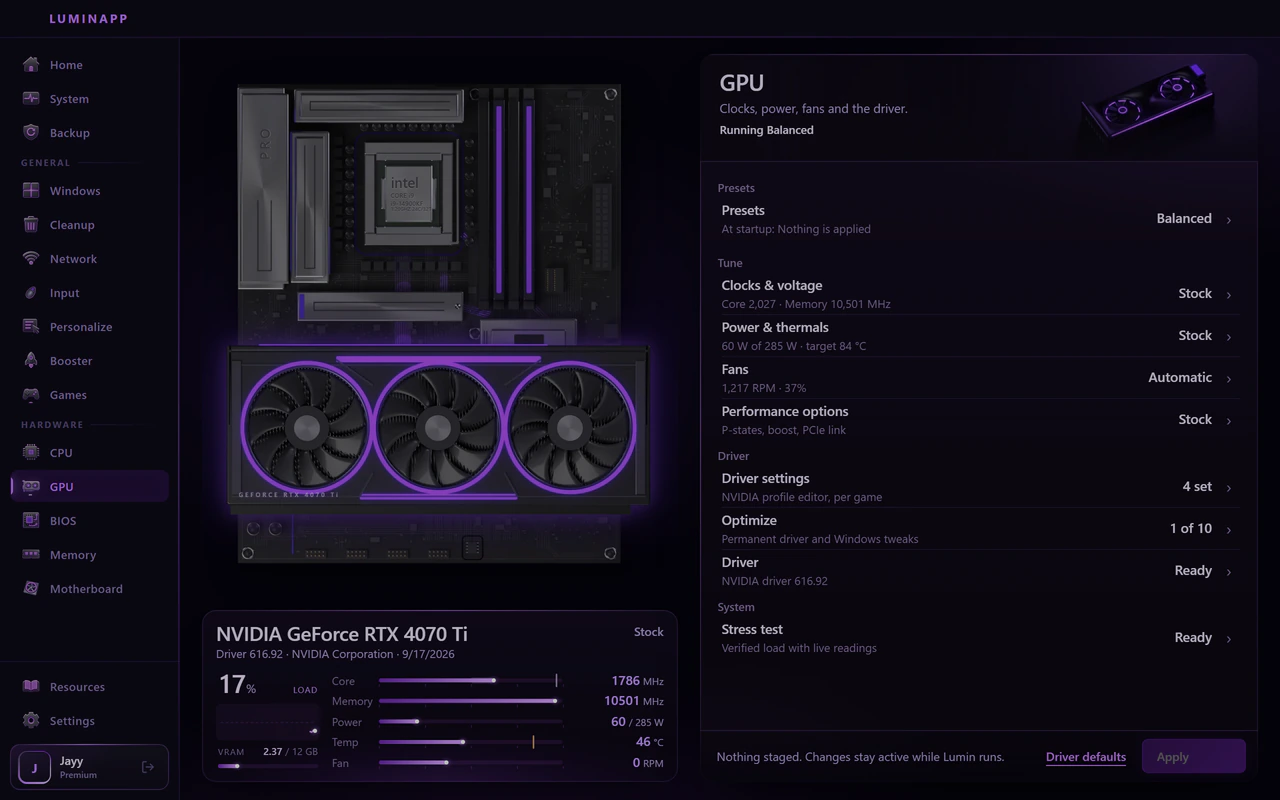
Processor, graphics card and memory each get their own page, with live readings next to a render of your own board.
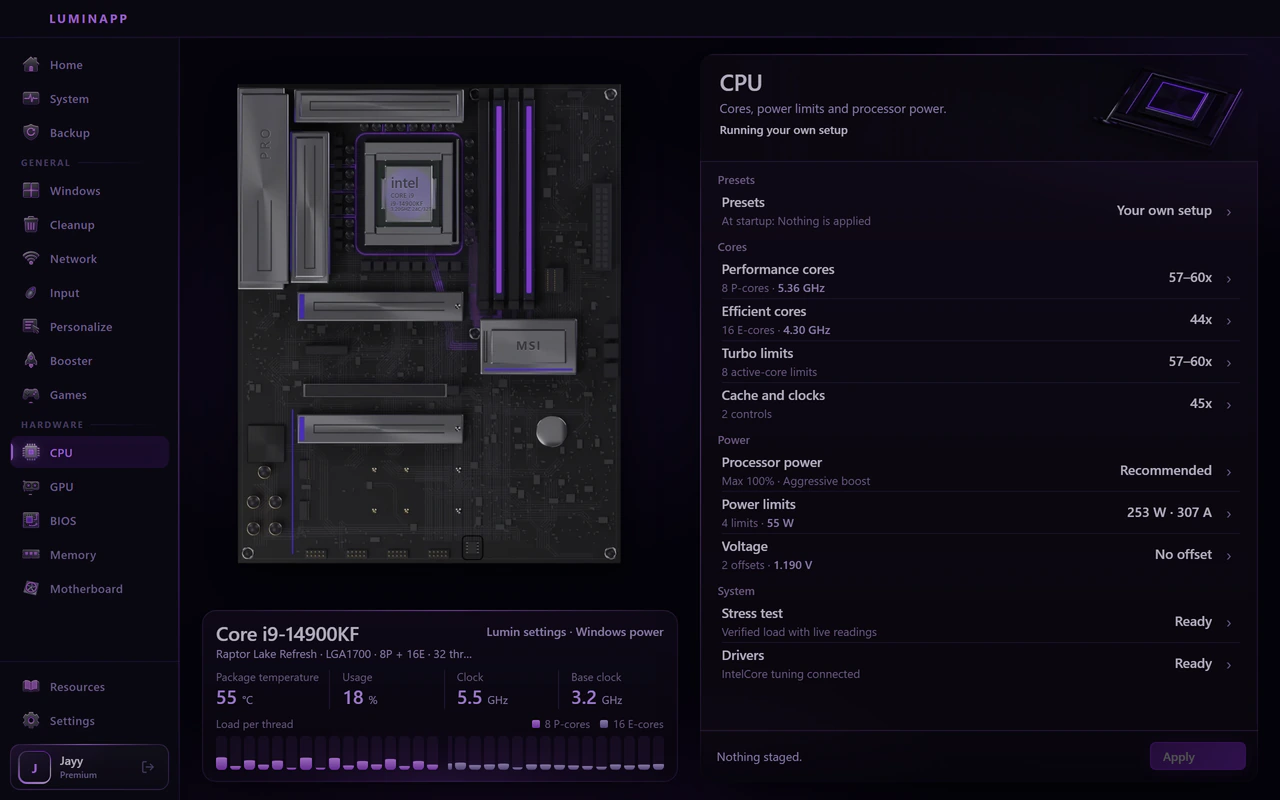
- CPU
- Core ratios, turbo limits, power limits and a voltage offset, with a stress test to check it holds.
- Graphics
- Clocks, power, fans and the driver on one page, for NVIDIA and AMD cards.
- Memory
- The speed your kit runs at next to the speed it is rated for, its timings and the XMP or EXPO profile.
05 / 08
Your BIOS in plain words
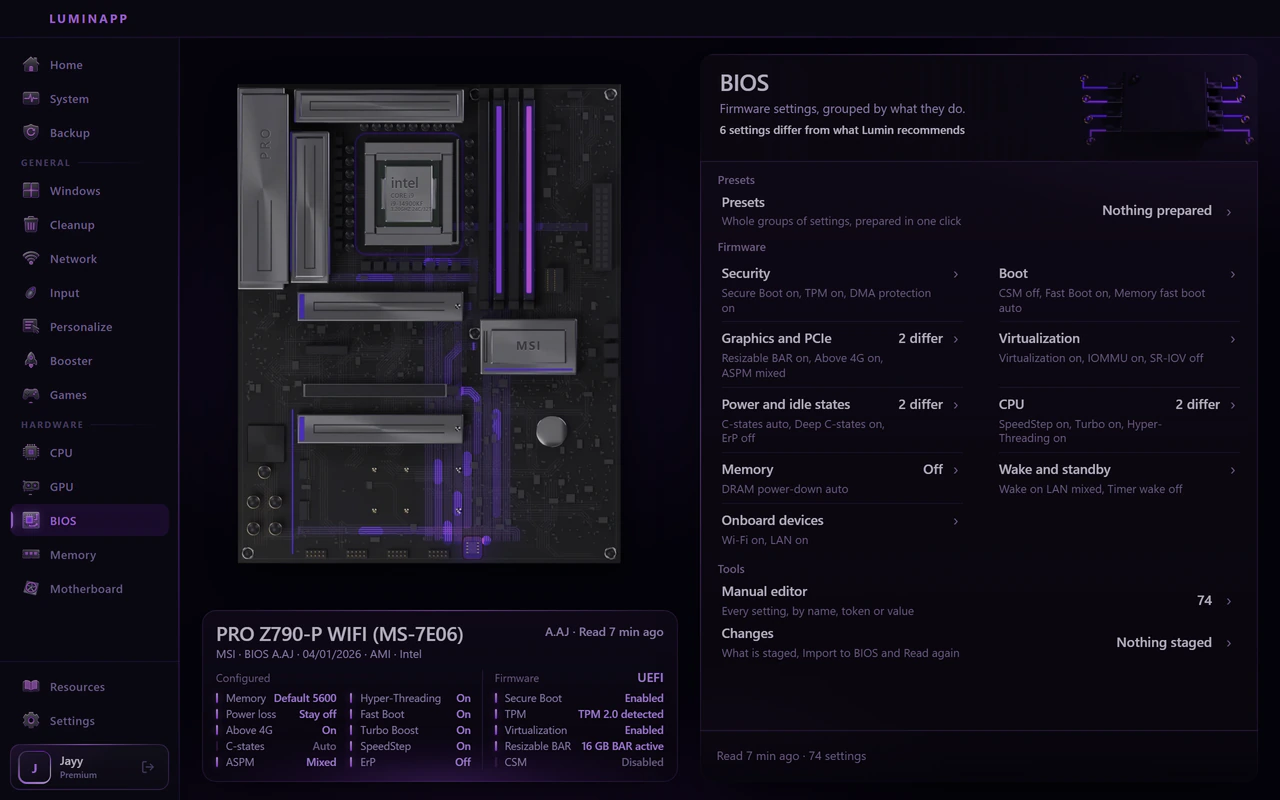
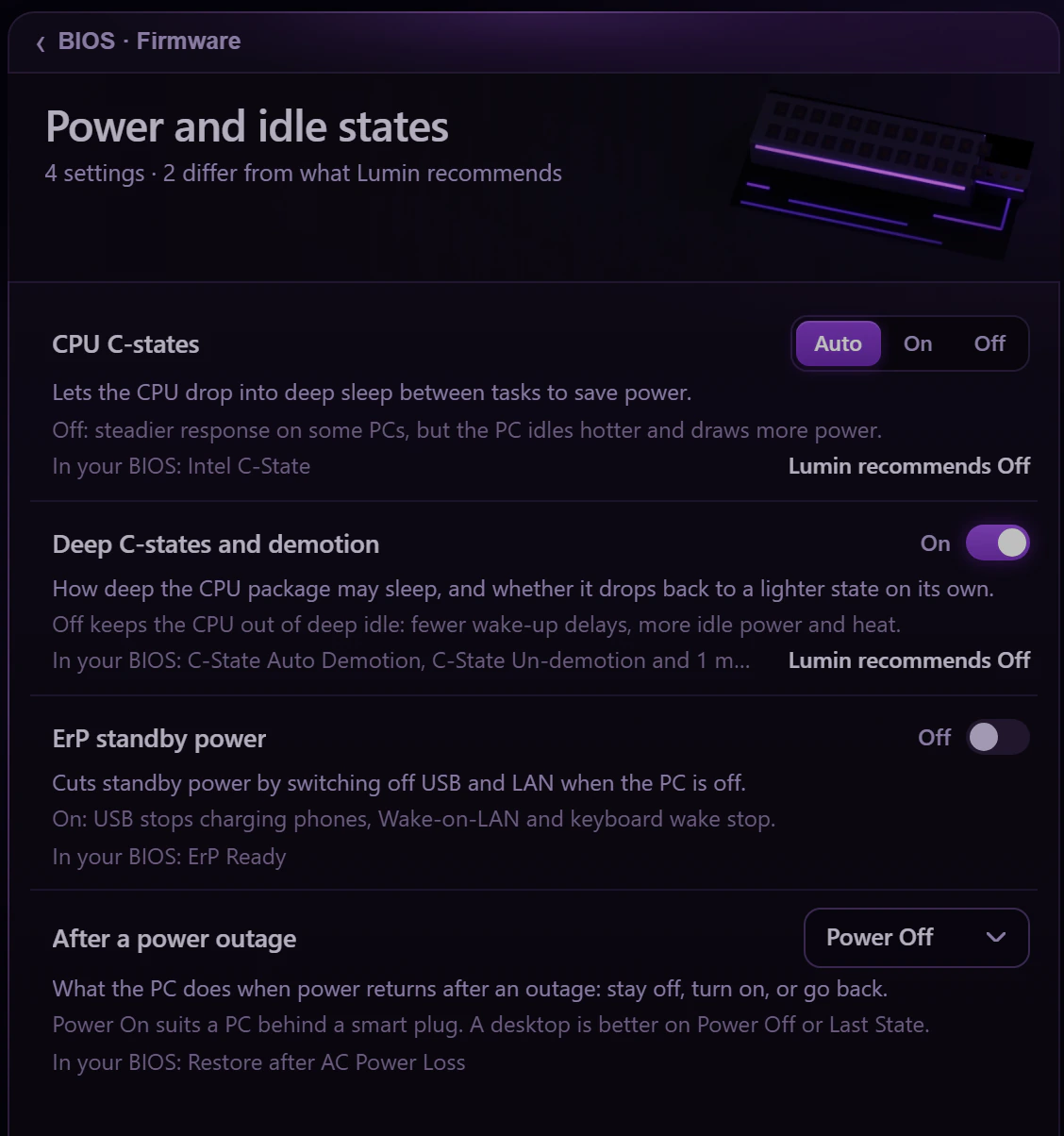
LuminApp reads your board's firmware settings and groups them by what they do. Every setting says what it changes and what Lumin recommends.
- Categories
- Security, boot, graphics and PCIe, power and idle states, CPU, memory.
- What differs
- Settings that differ from what Lumin recommends are counted, so you know where to look first.
- Staged changes
- Changes are staged in the app and go in through the BIOS import, with a backup first.
- Presets
- Whole groups of settings in one click. This is a Premium tool.
06 / 08
Cleanup you review first
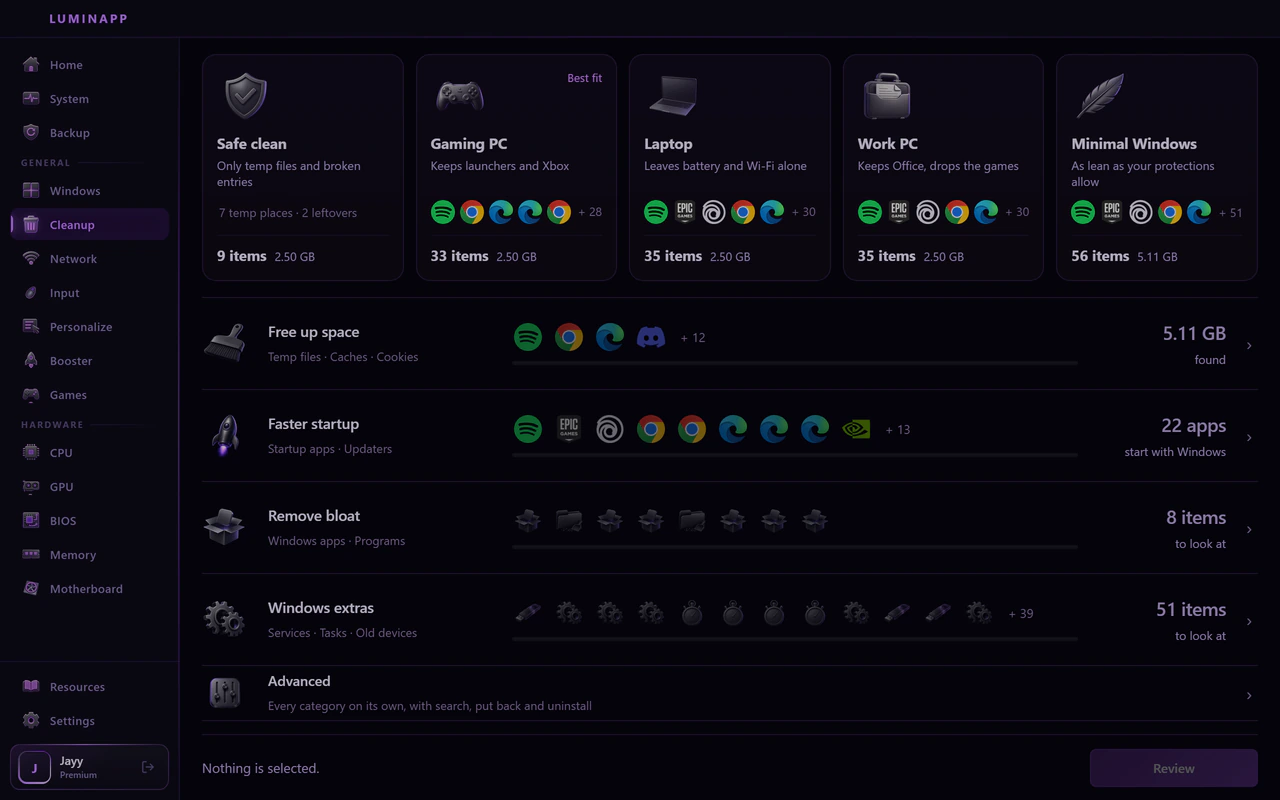
Pick a starting point or go by goal. You see every item and how much space it frees before anything is removed.
- Starting points
- Safe clean, Gaming PC, Laptop, Work PC or Minimal Windows.
- Goals
- Free up space, faster startup, remove bloat and Windows extras.
- Review
- Every item is listed with its size before you remove it.
- Put back
- Removed apps, services and tasks can be restored from the Backup page.
07 / 08
Game first, connection steady
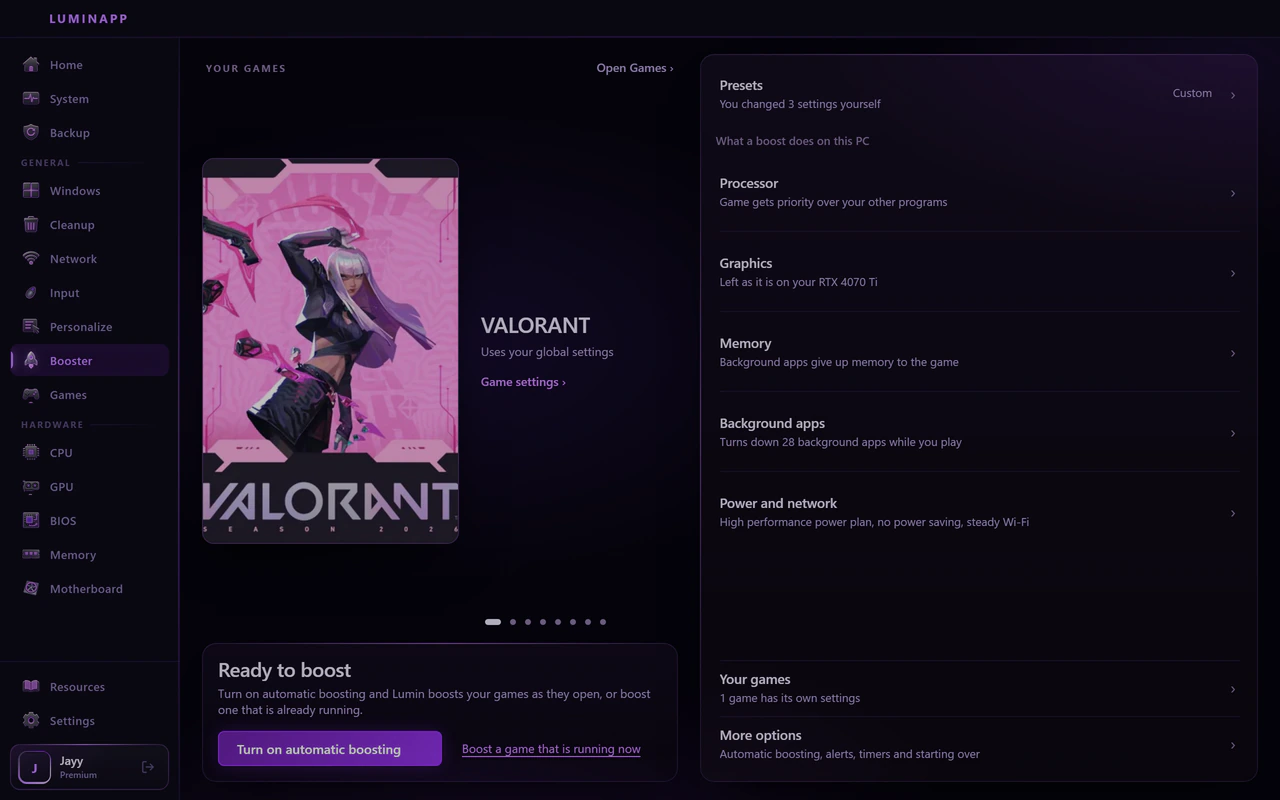
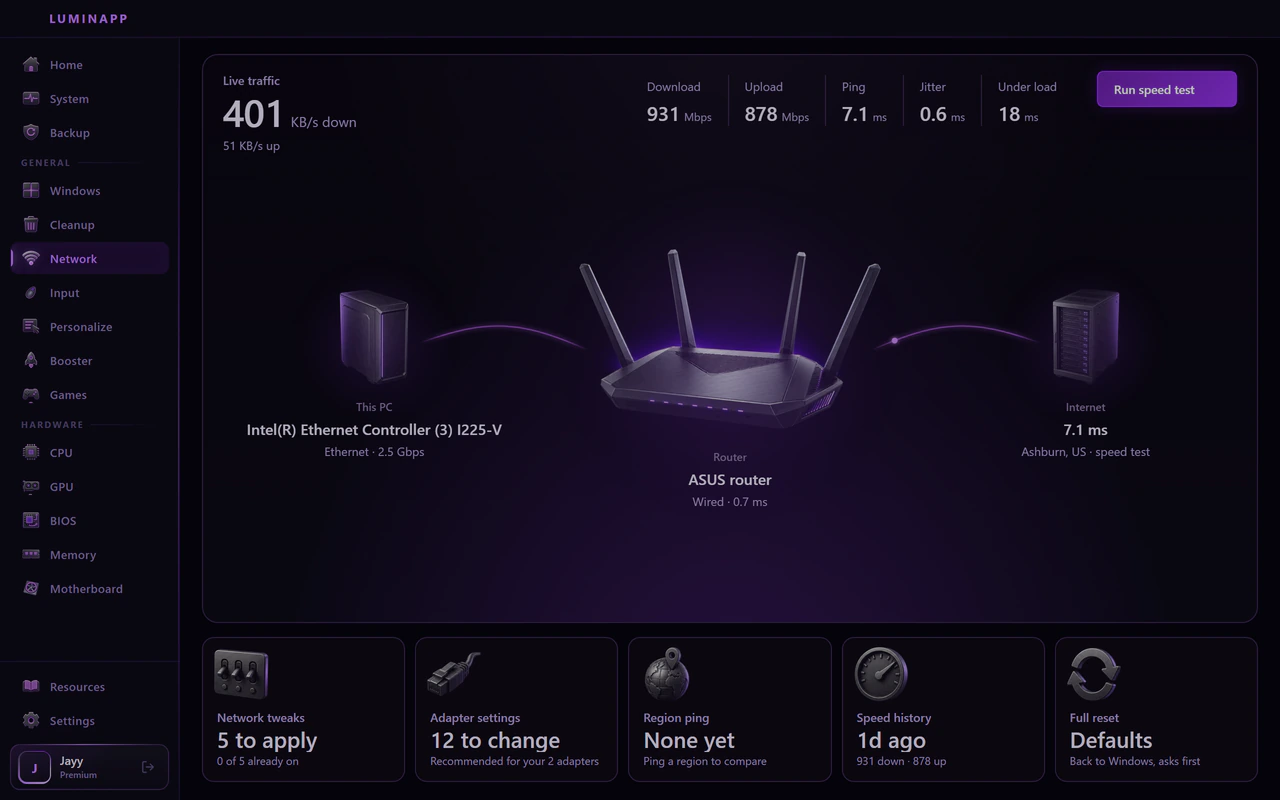
Booster puts the game you run first and tells you what it changes. Network draws your connection and tunes the adapter.
- Booster
- Processor priority, graphics, memory, background apps, power and network, one row each. Apply Now is free. Autoscan, which boosts your games as they open, is Premium.
- Network
- This PC, your router and the internet, drawn as they run. Adapter tweaks, ping by region and a speed test that keeps a history.
08 / 08
Make Windows look like Lumin
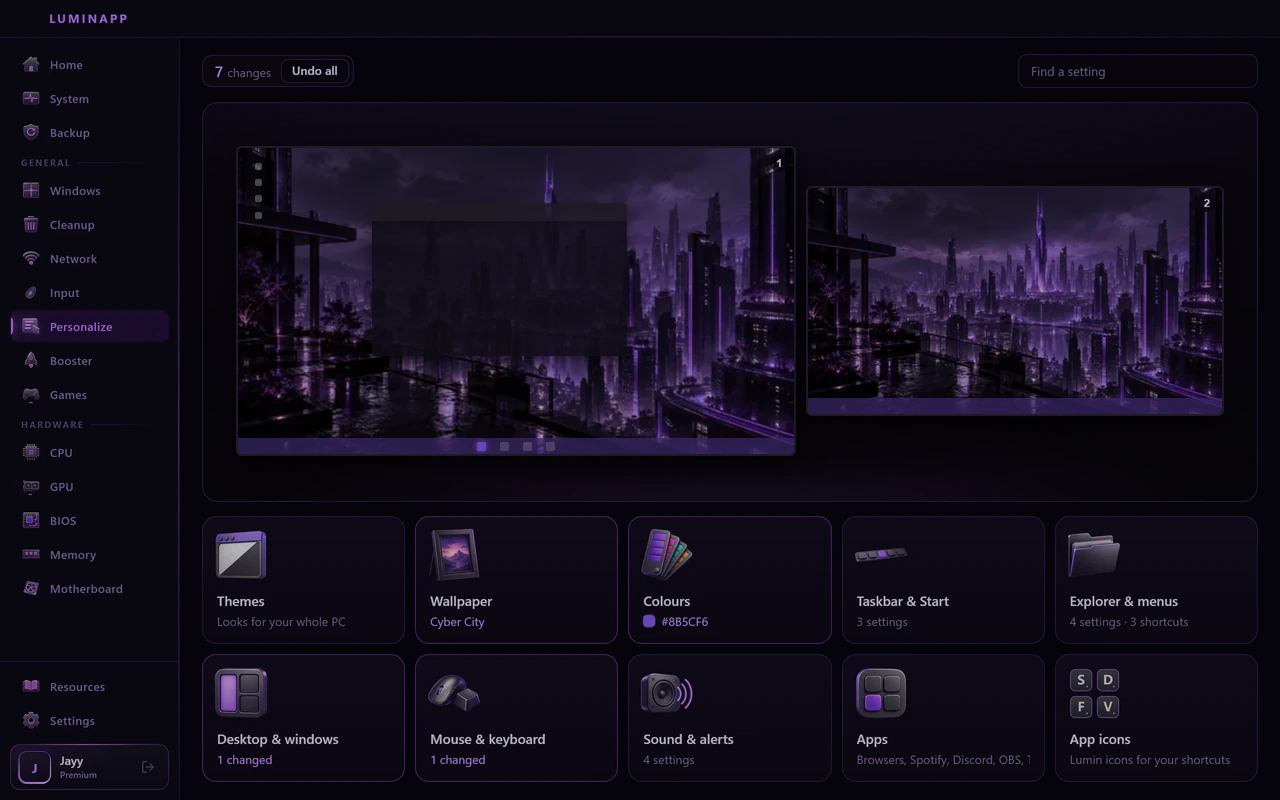
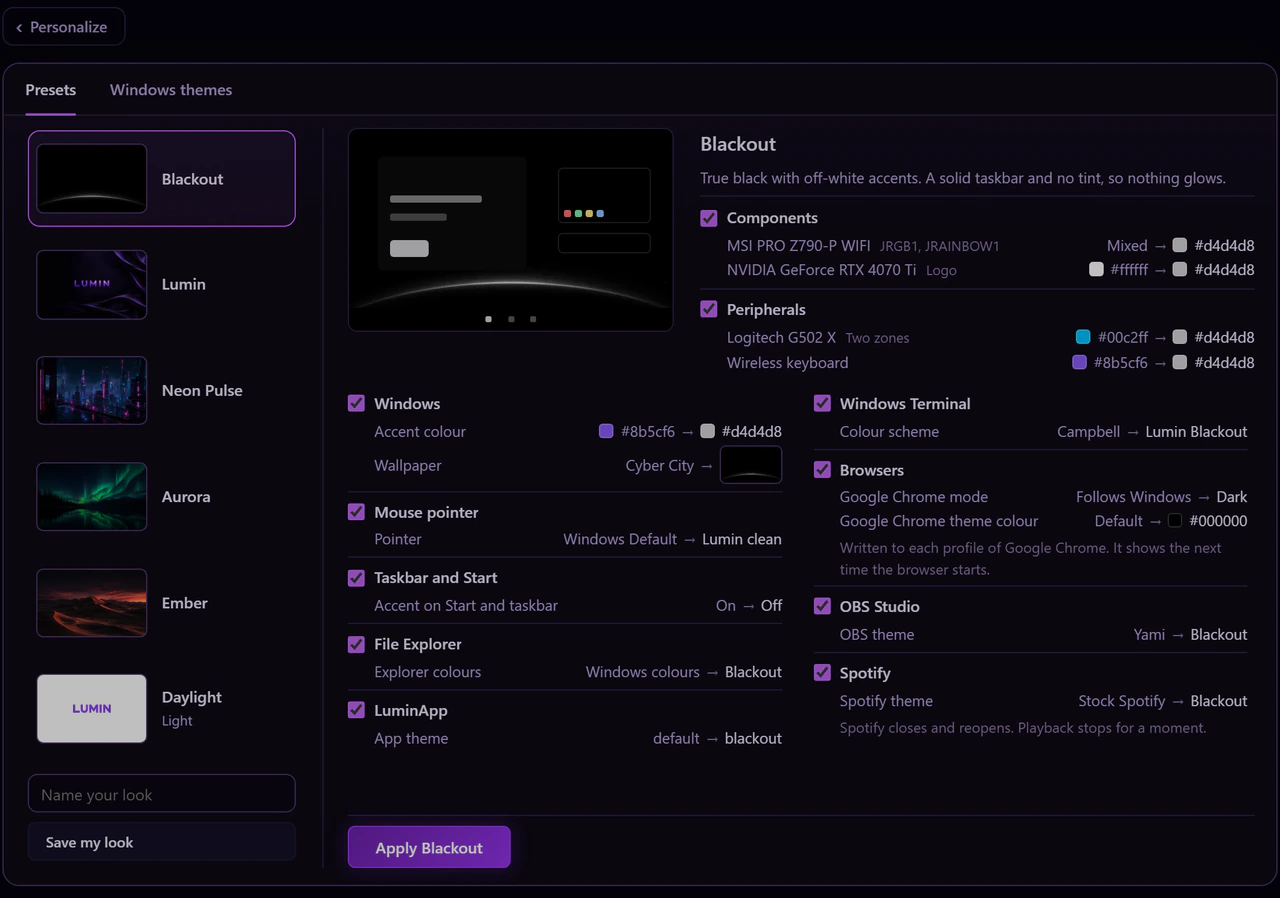
Personalize sets a look for the whole PC in one go: wallpaper, accent colour, taskbar and Start, Explorer, the pointer, your apps and the lighting on your parts. Save your own, or undo it all.
- Presets
- Blackout, Lumin, Neon Pulse, Aurora, Ember and Daylight, each showing what it will change before you apply it.
- Wallpaper and colours
- A wallpaper and an accent colour that carry through Windows.
- Taskbar and Explorer
- The taskbar, Start, Explorer and its menus follow the same look.
- Apps and parts
- Browsers, Spotify, Discord, OBS, and the lighting on your board, card and peripherals.
What you need
LuminApp runs on the Windows you already have.
- Windows
- Windows 10 (build 1903 or newer) or Windows 11, 64-bit. Windows 11 is recommended.
- Access
- Administrator rights. Windows asks when a change needs them.
- Internet
- A connection, so the app can reach the Lumin server and sign you in.
- Graphics
- Driver settings, resolution and scaling are for NVIDIA and AMD cards.
- Account
- Optional for Free. Premium uses your Lumin account, which signs in with Discord.
Is LuminApp free?
Can I undo what it changes?
Does it need administrator rights?
Will it get me banned in my game?
How much FPS will I gain?
Does LuminApp still need Overwolf?
My antivirus blocked the installer. What do I do?
Does LuminOS come with LuminApp?
Something else? Help center

Free for Windows 10 and 11. Back up first, then tune at your own pace.